
티스토리 뷰
프로젝트 진행중에 문제가 생겼다.
구조가 메인타이틀 화면이 있고 거기서 여러개의 작은 미니게임을 선택해서 플레이 하는 방식인데,
각각의 미니게임마다 각각의 게임의 점수를 관리하는 스크립트가 있다.
그런데 이제 하나의 스크립트로 이 각각의 서로다른 스크립트를 상황에 따라 접근하고 싶은데 모두 이름이 다르기 때문에 어떤 방식으로 접근해야 할지 찾아보다가 상속을 이용했다.
먼저 부모가 될 parent.cs 클래스를 만든다.
using UnityEngine;

public class parent : MonoBehaviour
{
    //
}
그리고 부모 클래스인 parent를 상속받는 두 개의 자식 클래스 child1, child2 가 있다.
using UnityEngine;

public class child1 : parent // parent를 상속
{

}
using UnityEngine;

public class child2 : parent // parent를 상속
{

}
child1, child2가 있는 두개의 게임오브젝트를 만든다.
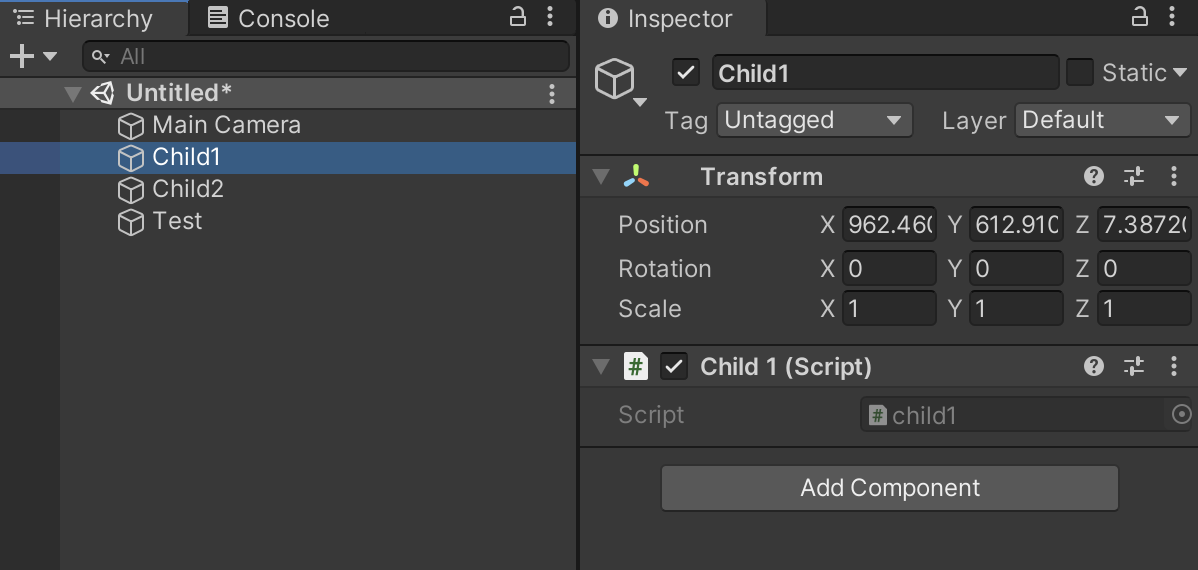
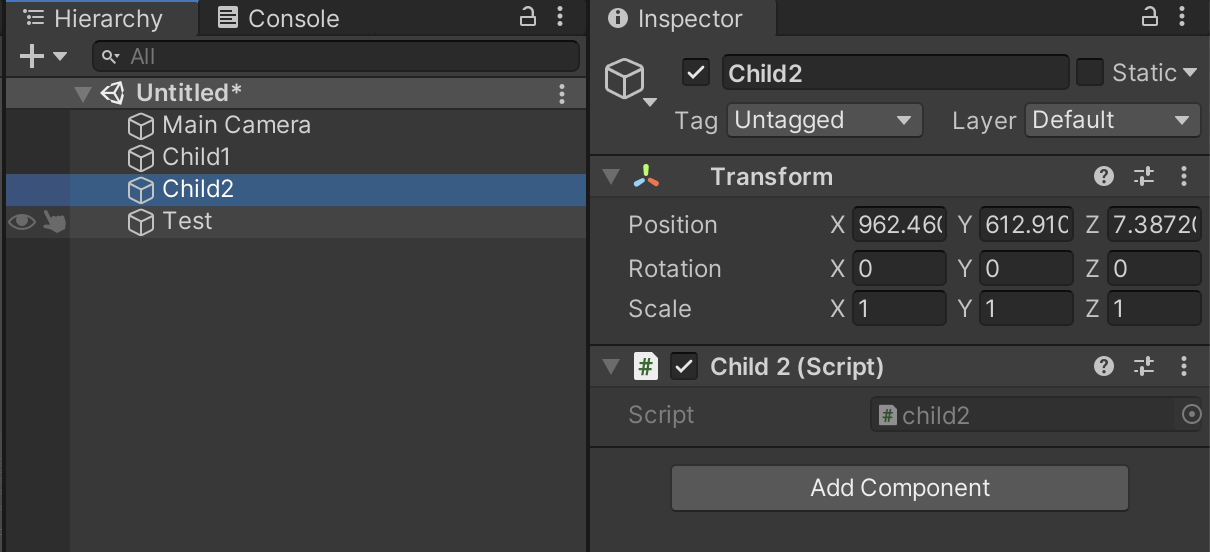
이 상황에서 child1.cs와 child2.cs를 접근할때
public class Test : MonoBehaviour
{
	private void Start()
    {
    	// Child1.cs 접근
    	GameObject.Find("Child1").GetComponent<Child1>();
        // Child2.cs 접근
        GameObject.Find("Child2").GetComponent<Child2>();

    }
}
이런식으로 접근할수도 있지만 Child1과 Child2는 Parent를 상속받았기 때문에
using System.Collections;
using System.Collections.Generic;
using UnityEngine;

public class inheritTest : MonoBehaviour
{

    private void Start()
    {
    	// child들은 parent를 상속받았기 때문에 <parent>로도 접근가능하다
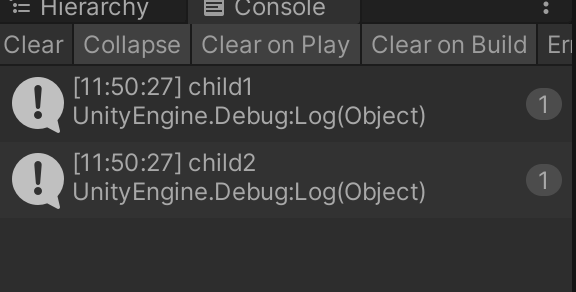
        Debug.Log(GameObject.Find("Child1").GetComponent<parent>().GetType().Name);
        Debug.Log(GameObject.Find("Child2").GetComponent<parent>().GetType().Name);
    }
}
이런식으로 부모의 이름으로도 접근할수 있다.
'유니티' 카테고리의 다른 글
| 랭킹시스템 변경 (0) | 2021.07.27 |
|---|---|
| ProjectSettings 포함해서 unitypackage 파일 export (0) | 2021.07.18 |
| 카메라가 오브젝트 따라가기 (0) | 2021.05.21 |
| 오브젝트를 움직이는 방법들 (0) | 2021.05.20 |
| SmoothDamp (0) | 2021.05.20 |
댓글
공지사항
최근에 올라온 글
최근에 달린 댓글
- Total
- Today
- Yesterday
링크
TAG
- permutation
- Brute Force
- 자료구조
- CSS
- two pointer
- graph
- C
- binary search
- 조합
- dfs
- DP
- back tracking
- db
- Kruskal
- priority queue
- floyd warshall
- Stack
- Dijkstra
- Unity
- recursion
- Python
- C++
- greedy
- 재귀
- 이분탐색
- MVC
- Implementation
- Spring
- BFS
- Tree
| 일 | 월 | 화 | 수 | 목 | 금 | 토 |
|---|---|---|---|---|---|---|
| 1 | 2 | 3 | 4 | 5 | 6 | 7 |
| 8 | 9 | 10 | 11 | 12 | 13 | 14 |
| 15 | 16 | 17 | 18 | 19 | 20 | 21 |
| 22 | 23 | 24 | 25 | 26 | 27 | 28 |
글 보관함