
티스토리 뷰
카메라가 오브젝트를 따라가게 하는 방법은 간단하다.
    public Transform target; // camera가 따라갈 오브젝트의 transform

    public float smoothSpeed = 0.125f;
    public Vector3 offset;

    private void LateUpdate()
    {
        transform.position = target.position + offset;
    }
transform.position = target.position + offset;
의 의미를 정확히 살펴보면.
transform.position은 현재 이 스크립트가 부착된 오브젝트의 transform, 따라서 카메라의 위치다.
target.position은 내가 따라갈 오브젝트의 위치 정보다.
그렇다면 offset은?
현재 오브젝트가 씬에서 다음과 같이있다

만약 + offset을 없에고 다음과 같이 쓰고 게임을 플레이하면
public Transform target;

    public float smoothSpeed = 0.125f;
    public Vector3 offset;

    private void LateUpdate()
    {
        transform.position = target.position;
    }
게임 화면은 다음과 같이 나온다.

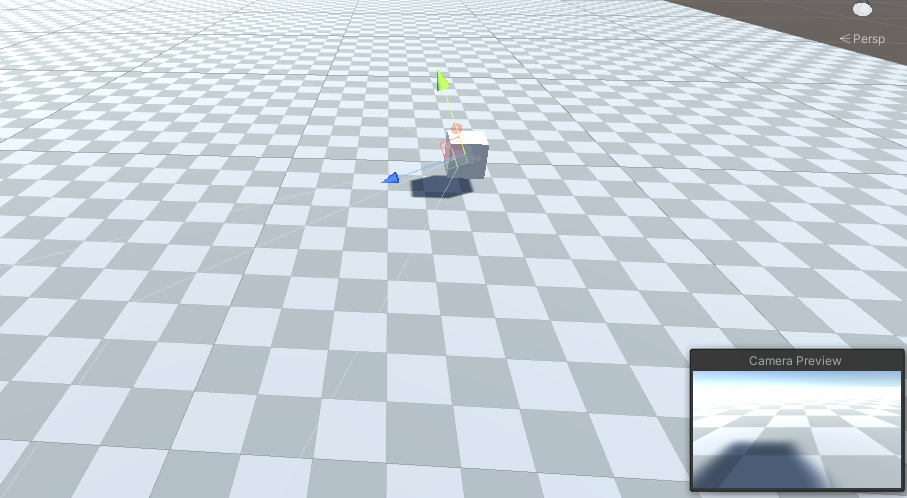
카메라가 target.position으로 고정되서 오브젝트에 붙어버렸다.
+ offset을 붙이면
public Transform target;

    public float smoothSpeed = 0.125f;
    public Vector3 offset = new Vector3(0f, 1f, -6f);

    private void LateUpdate()
    {
        transform.position = target.position + offset;
    }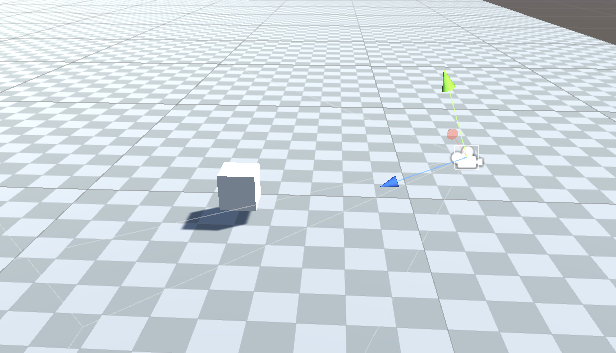

이렇게 카메라위치가 바뀌고
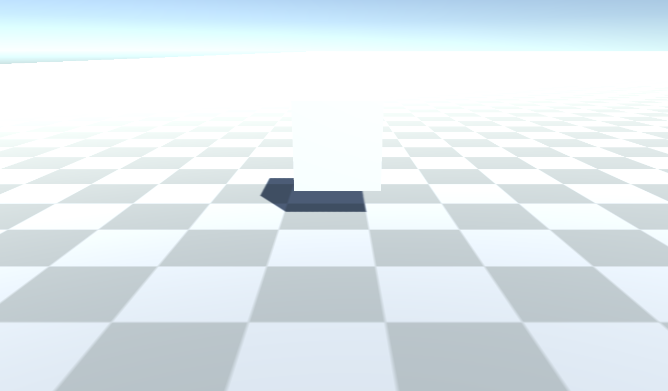
이렇게 정상적으로 오브젝트가 보이고 오브젝트가 이동하면 카메라도 같이 이동한다.
즉 target.postition = (0, 0, 0)이고
offset 벡터가 = (0, 1, -6) 이면 둘이 더해져서
(0, 0, 0) + (0, 1, -6) = (0, 1, -6)이 카메라의 위치가 되는것이다.
'유니티' 카테고리의 다른 글
| ProjectSettings 포함해서 unitypackage 파일 export (0) | 2021.07.18 |
|---|---|
| 상속을 이용해 다른 이름의 클래스 스크립트 접근하기 (0) | 2021.07.04 |
| 오브젝트를 움직이는 방법들 (0) | 2021.05.20 |
| SmoothDamp (0) | 2021.05.20 |
| Lerp와 Time.deltaTime (0) | 2021.05.19 |
댓글
공지사항
최근에 올라온 글
최근에 달린 댓글
- Total
- Today
- Yesterday
링크
TAG
- Stack
- Dijkstra
- DP
- Brute Force
- CSS
- BFS
- priority queue
- 재귀
- recursion
- 조합
- greedy
- Tree
- MVC
- 자료구조
- Unity
- C++
- db
- Python
- Implementation
- 이분탐색
- back tracking
- C
- Kruskal
- two pointer
- permutation
- binary search
- floyd warshall
- dfs
- Spring
- graph
| 일 | 월 | 화 | 수 | 목 | 금 | 토 |
|---|---|---|---|---|---|---|
| 1 | 2 | 3 | 4 | 5 | 6 | 7 |
| 8 | 9 | 10 | 11 | 12 | 13 | 14 |
| 15 | 16 | 17 | 18 | 19 | 20 | 21 |
| 22 | 23 | 24 | 25 | 26 | 27 | 28 |
글 보관함